

HumanCode Studios™

Monster.com

Take This Job And…Save It!

by HumanCode on Sep.25, 2009, under Monster Labs LLC, Monster.com

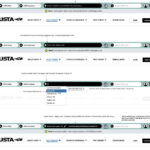
Job Search Toolbar for Internet Explorer and FireFox

Job Search Toolbar for Internet Explorer and FireFox


Save it, apply to it, attach a resume to it and/or match/score that job you found online against any other others you’ve saved as potential new positions as you build your career.

As an R&D project with Monster Labs (for Monster.com), we created a “concept-car” toolbar proprietary to a consumer facing application being created in parallel to manage and “deep-dive” into any and all jobs saved to it.

The toolbar concept itself allows a user to search, save, apply, show similar, and match/score any job posting found on any of the major job boards.

Some features the toolbar includes:
- Minimize mode
- Saved searches by Zip Code, radius, salary requirements, and job type
- Previous saved searches
- Apply to Jobs directly from the toolbar
- Choose and attach a resume directly from the toolbar
- Score a job posting
- Bookmark Job postings
- Automatic Login
- Auto updating
- Personalized skins
- Search similiar jobs across the web.

A working prototype was developed primarily using Adobe Illustrator, Adobe Photoshop, C++ programming language and Microsoft’s Visual Studio.

Leave a Comment :, , , more...

Coffee? Soda? 3D?

by HumanCode on Jul.21, 2009, under Monster.com

3D animated kiosk for Monster.com

3D animated kiosk for Monster.com

Adding a custom 3D graphics and animation to the wide-screen, Hi-Def display at the Monster.com headquarters in Maynard Ma. provided a slick, entertaining and “hi-tech” environment for guests, visitors and partner organizations to take away with their first impressions of Monster Worldwide.

Design+Dev Toolbox: 3D Studio Max, Adobe Photoshop, Adobe Premiere and Adobe After Effects.

Leave a Comment :, , , more...

Less Is More. Really.

by HumanCode on Apr.09, 2009, under Monster.com

Radical Home Page Design Test

Radical Home Page Design Test

Although the design may be some what outdated at this point, this was a great exercise in UX simplicity. Granted this may work better with some business models than others….In the case of Monster.com, 90%+ of their visitors (understandably) click Search Jobs from the home page. So why not give the people what they want……In this test, I had designed a home page that basically stripped out over 100 “other” links from the home page, leaving users with some very simple and valuable options to begin their Monster experience. Search Jobs, Post A Resume and Find People (at the time, Professional Networking was a hot button (no pun intended)).

The test results (based on 1,000,000 visits) netted some impressive conversion results.

  • 17% increase to all other Ecomm
  • 16% increase in new account creations
  • 14% increase to Post A Job
  • 13% increase to completed resume postings
  • 6% increase in completed Ecomm check-outs
  • 8% increase in revenue per visitor
  • 1% increase in completed online job applies

While the test was a clear success and certainly a “win” for Monster’s core business, this implementation of the UI never received complete stakeholder approval and was removed from testing after 12 days.

Sometimes the simplest solution becomes the least obvious.

Leave a Comment more...

Rich Internet for Monster.com Home Page

by HumanCode on Mar.17, 2009, under Advanced Media Home Page

Rich Internet  - Monster.com Home Pages for Seekers + Employers

OpenLaszlo - Monster.com Home Pages for Seekers + Employers

Combining a decade of “Home Page” usability and focus-group results on what Monster’s users would like most from the Monster.com home page, we created a contained experience using OpenLaszlo and Adobe Flash that provided instant user-experience gratification (no re-directs) of user controls. For Job Seekers, the functions such as job search, member login, job search results, collapsible advertising and broadcast video are all functional from within the same working view.

For Monster’s Employer home page an identical design and development approach was taken with the addition of expandable advertising “modules” to accommodate alternative revenue streams such as “featured employers” and “special offers”.

In terms of global site consistency, both versions followed the same control/feature/function layout. – i.e., searching for jobs exhibited the same user behavior as searching for resumes. Unifying user control behaviors such as this, regardless of their source (seeker or employer) created a consistent, integrated user experience for either side of the business.

Leave a Comment :, , , more...

Monster Job Search [OpenLaszlo]

by HumanCode on Mar.16, 2009, under Advanced Media Job Search

OpenLaszlo Job Search Designed and Developed for Monster.com

OpenLaszlo Job Search - Monster.com


As the Director of Design & Development of Monster Labs LLC, a since dispersed division of Monster Technologies for Monster Worldwide (Monster.com), My team was responsible for visual design technology R&D, focused on information search and retrieval, rich Internet applications and emerging Web technology. We worked closely with Laszlo’s Professional Services group on the West coast to provide the following proof of concept.

OpenLaszlo technology proved to be an outstanding resource for rapid, advanced media development. One of the first Laszlo challenges we put to the test was Monster’s core competency: Job Search.

The following demo is “canned” for demo purposes only. All of the jobs were fed to the previously live interface via a secure, jobs XML feed. From the main page you’ll see the latest job postings flowing into the interface via a user’s saved “Job Search Agent”. In this case, we’ve used “Executive” as the primary keyword. Provided this was live, this feature would return the latest “Executive” jobs for this user.

To begin the demo, just click “GO” from the search box to start exploring the app. Again, this is s proof of concept, not all features are functional or present. The actual job posting references have been removed.

Some features to explore:

  • Sliding Filter controls
  • Results layout format (cards or list)
  • 3D Keyword Map – this “DNA-Strand” interface demonstrated how job seekers could effectively help refine their job search by discovering alternate job titles that applied to the same or similiar skill-sets. Essentially, job strands were joined together by variable sized spheres that:
    • By it’s relative size, conveyed the number of jobs in the database with that title.
    • By the adjoining titles gave some indication to how alternate titles could be attached to the same job description
    • By clicking a titled sphere, “re-strung” the DNA based on the job title. This in turn would also provide updated search results at the same time.

    Click the + tab attached to the keyword map to open in full view.

You can take it for a TEST-DRIVE HERE

Leave a Comment more...

Looking for something?

Use the form below to search the site:

Still not finding what you're looking for? Drop a comment on a post or contact us so we can take care of it!